Excel / BOM Comparison Tool for Operational Change Tracking
A live web tool that compares two Excel or bill-of-materials tables and highlights changes, supporting operational change tracking.

tables_compare_app is a live tool for comparing two Excel or BOM tables and tracking operational changes between versions.
How to Compare Two BOM Revisions in Excel walks through the matching key, formula and Power Query approaches on a small sample.
Screenshots
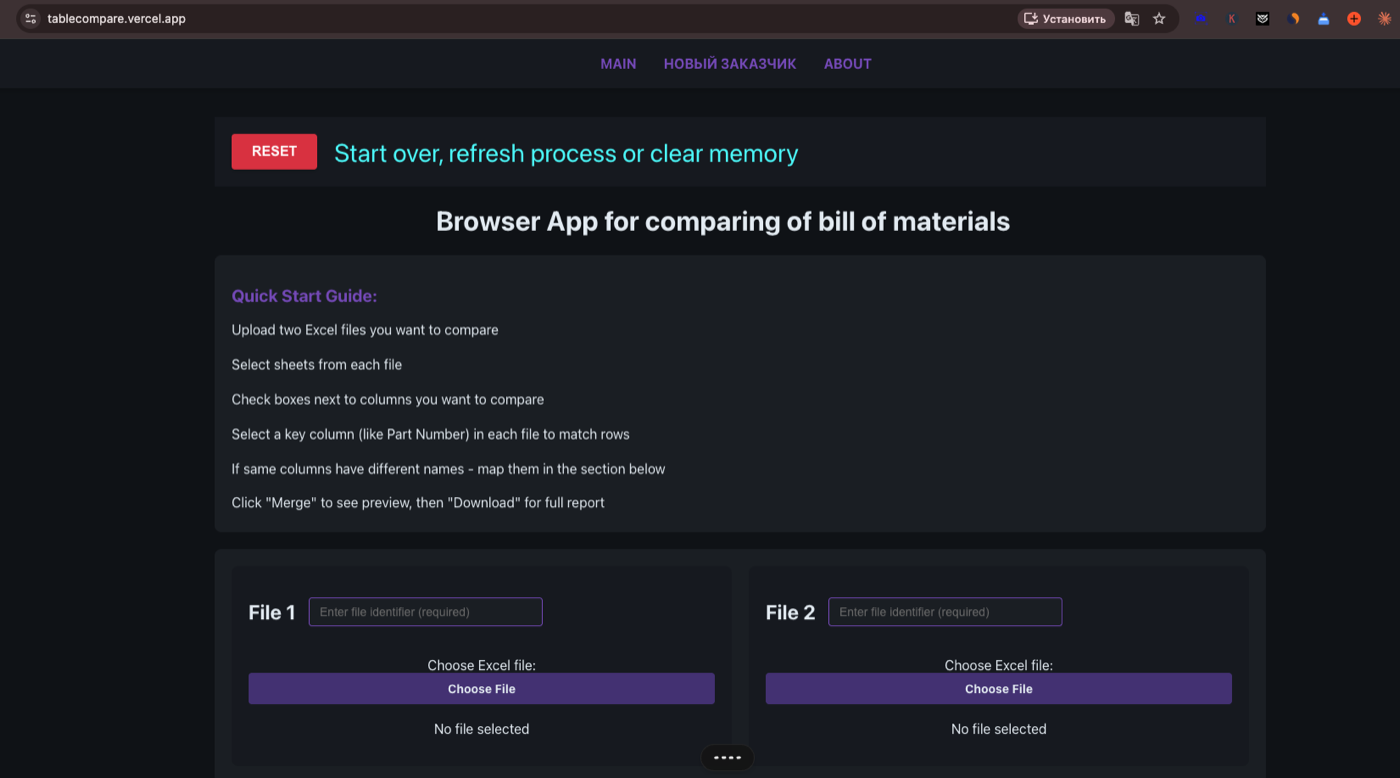
Problem
Operations teams need to see what changed between two versions of a bill of materials or Excel table, which is error-prone to check by hand.
Context
tables_compare_app is a live tool, deployed at tablecompare.vercel.app. It demonstrates the comparison and change-tracking pattern acty.dev builds as an internal tool.
Inputs
- Two Excel or BOM files to compare
Technical approach
The app loads two spreadsheets, aligns their rows, and reports added, removed, and changed entries through a comparison and merge UI, so a reviewer can see exactly what moved between versions.
Stack
- TypeScript
- React
- Client-side Excel parsing
- Deployed on Vercel
What was built
A web tool that compares two Excel or BOM tables and shows the differences, with a quick-start flow and a merge UI for reviewing changes between versions.
Deployment
Deployed on Vercel at tablecompare.vercel.app (HTTP 200 verified 2026-09-02).
What can be reused
- Two-file spreadsheet comparison
- Row alignment and change detection
- Operational change-tracking UI
Boundaries
- Live demo linked above via the Open live tool action
- Do not reuse removed authority or award claims
- Client and private data are not included
Explore



Have a process, dataset, or camera footage to work from?